Retail chain — fourteen locations across two states. Their point-of-sale network and security camera system shared the same infrastructure because someone saved $8,000 on installation costs three years ago by combining them. Nobody maintained the network segmentation, firewall rules, or firmware updates on any of it after initial setup.
An attacker accessed the network through an unpatched vulnerability in the camera system's web interface — the default admin password hadn't been changed since installation day. From there, they moved laterally into the payment processing network. For eleven weeks, every credit card transaction across all fourteen locations was being quietly siphoned to servers overseas.
The breach notification process alone cost $1.1 million. Card replacement expenses. Forensic investigation fees. Legal counsel. Mandatory PCI compliance remediation. State attorney general inquiries. Customer notification mailings. The brand damage — still impossible to fully measure two years later.
Eleven weeks of theft. Through a security camera login. Because nobody maintained the network.
Situations like this one reinforced a principle we refuse to compromise on at AD Infosystem — a leading IT maintenance services company. Security isn't a separate service from maintenance. They're the same discipline. Businesses that invest in managed IT maintenance services with integrated security monitoring don't become breach statistics.
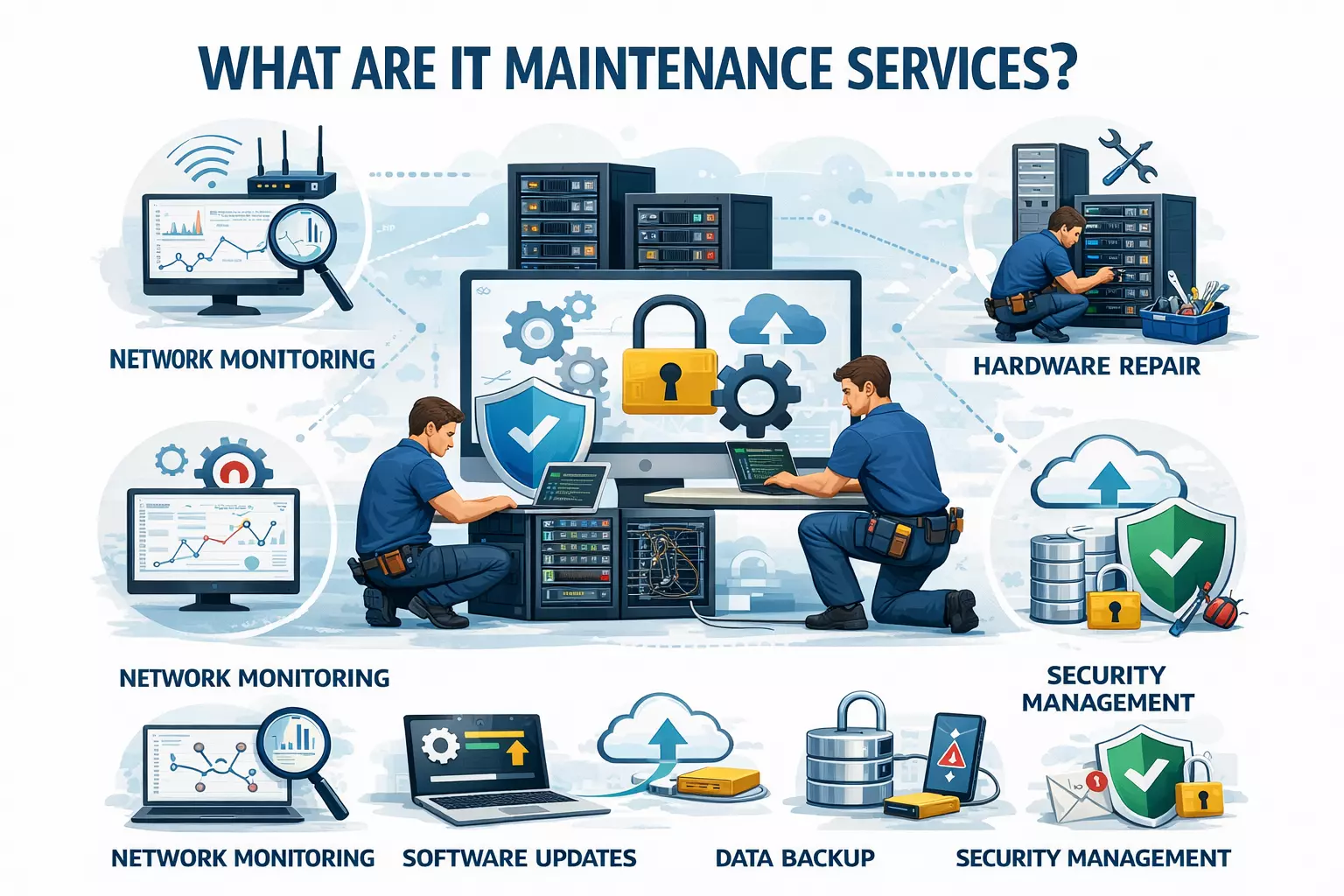
The short answer: IT maintenance services keep your business technology running — monitoring, security, updates, hardware, troubleshooting, the whole stack.
But that definition doesn't really capture what it means in practice.
Every business runs on systems that most people don't think about until something goes wrong. Email. File storage. Customer databases. Accounting software. Communication platforms. Production systems. Each one quietly demands attention on a regular basis — security patches that need applying before someone finds the gap, performance issues that build slowly until they become impossible to ignore, configurations that made sense two years ago but don't match how the business operates today, backups that need to actually be tested rather than just scheduled and forgotten.
Most businesses don't have the time or the internal resources to stay on top of all of it properly. Things get deferred. Updates get skipped. Warning signs get noticed and noted and then buried under more urgent priorities. That's usually how a manageable situation becomes an expensive one.
An IT maintenance company exists to make sure none of that slips. Your team focuses on the actual business. Someone else handles the reason the server started making a noise nobody can identify.
Most system problems don't announce themselves during business hours. They start quietly — a gradual performance drop, an unusual spike in network traffic, a storage array showing early signs of trouble — and by the time someone notices something feels off, the underlying issue has been building for days or weeks.
Continuous monitoring catches those patterns early. Not someone checking a dashboard at 9am, but automated systems watching around the clock and flagging anything that looks wrong before it turns into a phone call from an employee saying nothing is working. The monitoring tools available today are genuinely good at spotting hardware components showing pre-failure behavior, subtle network anomalies that suggest something unauthorized is happening, and performance degradation that would be invisible to anyone not looking specifically for it. Finding those things at 3am on a Sunday is the difference between a quick fix and a full-blown crisis.
The security landscape has shifted considerably over the past few years. Ransomware operations have become more targeted and more damaging. Phishing campaigns have gotten sophisticated enough to fool careful, experienced employees who know what to look for. The idea that an annual security review and a firewall is sufficient protection hasn't been realistic for a while.
Genuine security management means patch management that actually happens on schedule, regular vulnerability assessments that look for gaps before attackers do, endpoint protection across every device touching the network, firewall configurations that get reviewed and updated rather than set once and left alone, and an incident response plan that's been thought through before it's needed. None of that is a one-time project. It's ongoing work, and when it stops being treated that way, the exposure starts building quietly.
The configuration that worked well when the company had forty employees starts showing strain at sixty. The storage that seemed more than adequate gets full faster than anyone expected. The server that handled the workload fine during a slower period struggles when business picks up. These aren't dramatic failures — they're gradual degradations that affect performance, slow people down, and eventually become urgent problems that could have been caught months earlier.
Proactive infrastructure maintenance means someone is looking at capacity trends, identifying bottlenecks before they choke operations, and making adjustments based on where the business is heading rather than reacting after the fact. It's not exciting work, but it's the kind of thing that prevents the expensive surprises.
Things break. That's not pessimism — it's just the reality of running any technology environment. The question is what happens next.
There's a significant difference between having a support number to call and having a team that already knows your environment, has documented your systems, and can respond without spending the first hour figuring out how everything is set up. Response time matters. So does the quality of that response. A technician who has never seen your setup before is going to take longer and make more mistakes than someone who has been maintaining it for months. Good IT maintenance means the people helping you when something goes wrong are the same people who have been paying attention to your systems all along.
IT strain from business growth tends to be gradual rather than sudden. You're not at a crisis point, but things are a little slower, the workarounds are multiplying, and infrastructure decisions that should have been made six months ago keep getting pushed back. Managed IT maintenance includes capacity planning and cloud management that accounts for where the business is actually going — not just keeping the current setup running, but making sure the underlying infrastructure can handle what's coming without requiring an emergency overhaul at the worst possible moment.
Gradual performance degradation is one of those problems that sneaks up on organizations. Things get a little slower, then a little slower again, and because it happens incrementally nobody flags it as a problem — it just becomes the new normal.
A manufacturing client came to us running production scheduling on a server that hadn't been properly maintained in eighteen months. The system that used to process daily schedules in twenty minutes had slowed to over two hours. Nobody had noticed because the decline was so gradual. It took a new operations manager asking why scheduling consumed the entire morning for anyone to realize how bad it had gotten. After proper maintenance, processing came back under fifteen minutes.
That kind of performance recovery is more common than most businesses expect. Eighteen months of accumulated neglect — missed patches, uncleaned processes, unoptimized configurations — had quietly eaten most of the system's capacity. The hardware hadn't changed. The workload hadn't changed. Just the attention paid to keeping it running properly.
Well-maintained systems deliver faster response times across every application your team uses daily. Planned maintenance prevents the unplanned downtime that costs far more in lost productivity than the maintenance itself. And optimized configurations mean computing resources go toward work that matters rather than background processes nobody needs running.
Ransomware attacks targeting mid-size businesses increased 67% between 2024 and 2026. The average recovery cost per incident has reached $1.85 million — and that figure doesn't capture the reputational damage or the operational disruption that lingers long after systems are restored.
The threat environment has changed in ways that make older security approaches genuinely inadequate. AI-generated phishing emails are now difficult to distinguish from legitimate communication even for careful, experienced employees. Supply chain attacks compromise trusted software vendors, meaning the threat can arrive through channels that feel completely safe. Regulatory penalties for data breaches have doubled across multiple industries, turning what was once a technical problem into a financial and legal one.
Monthly vulnerability scans don't catch threats that evolve on a weekly basis. Annual security audits find problems that existed for eleven months before anyone looked. The gap between when a vulnerability appears and when it gets discovered is exactly where attacks happen.
Continuous security maintenance means patch deployment happens on schedule rather than when someone gets around to it, threat detection runs around the clock rather than during business hours, and incident response procedures have been tested rather than just documented. The difference between a company with genuine security maintenance and one going through the motions becomes obvious when something actually goes wrong.
One client tracked IT spending carefully across two consecutive years — one reactive, one proactive. The reactive year included emergency repairs, data recovery, overtime, and one ransomware incident. Total: $340K. The following year, with a managed maintenance contract and a proactive approach: $185K — including the maintenance contract itself and planned upgrades. Zero emergency incidents.
The math behind that difference isn't complicated. Emergency IT repairs cost three to five times more than addressing the same issue proactively. A hard drive replaced during scheduled maintenance costs a few hundred dollars. That same drive failing unexpectedly on a production server means emergency service premiums, data recovery fees, lost productivity while systems are down, and overtime costs rebuilding whatever got corrupted in the process.
Beyond emergency repair costs, proactive maintenance eliminates the need for a large in-house IT team, makes budgeting predictable rather than reactive, extends hardware lifespan by years through proper upkeep, and reduces the quiet productivity drain that comes from employees working around systems that aren't quite functioning properly.
Businesses with proactive IT maintenance consistently achieve 99.5% or better uptime. Companies relying on reactive, break-fix support typically land somewhere between 94% and 96%. That gap sounds small until you do the math — it represents dozens of hours of lost operation every single month.
Remote and hybrid work has made the cost of downtime significantly higher than it used to be. An outage no longer affects one office — it simultaneously paralyzes employees across multiple locations, all of whom depend on the same cloud tools and shared infrastructure. Customer expectations have moved the same direction. "We're experiencing technical difficulties" is no longer an acceptable explanation for service interruption.
A mid-size professional services firm calculated their true downtime cost at $12,000 per hour — factoring in lost billable time, missed deadlines, client penalties, and the recovery work that piles up after systems come back online. Their previous break-fix approach was costing over $200K annually. Switching to proactive maintenance cut that figure by more than half while essentially eliminating unplanned outages entirely.
IT needs don't scale linearly with business growth — they compound. An e-commerce operation might need triple the server capacity during peak season. A second office location requires network architecture that was never designed for multiple sites. A growing customer base puts pressure on database performance that yesterday's configuration simply wasn't built to handle.
The problem with reactive infrastructure management is that by the time the bottleneck becomes obvious, it's already affecting operations. Orders are slower. Employees are frustrated. Customers notice. Getting from that point to a solution takes time that costs money.
Good IT maintenance providers think ahead rather than respond after the fact. They assess current capacity against where the business is actually heading, recommend upgrades before the constraints appear, and implement cloud resources that can scale with demand rather than requiring emergency intervention every time growth outpaces infrastructure. The goal is an IT environment that's ready for where the business is going — not one that's perpetually trying to catch up.
IT maintenance pricing depends on organization size, environment complexity, and coverage level.
Small businesses under 50 employees typically pay $1,000–$5,000 monthly, covering monitoring, security, support, and core infrastructure management.
Mid-size organizations with 50–500 employees generally fall between $5,000–$20,000 monthly. The range reflects how differently those environments can vary — number of locations, cloud footprint, and compliance requirements all influence the final number.
Enterprise contracts are typically structured as Annual Maintenance Contracts with defined SLAs and custom pricing built around the specific environment.
In every case, compare the monthly cost against what a single unplanned outage actually costs your business.
| Factor | In-House IT Team | Outsourced IT Maintenance |
|---|---|---|
| Annual staffing cost | $150,000 - $400,000 | $60,000 - $240,000 |
| Coverage | Business hours only | 24/7/365 |
| Expertise range | Limited to hired skills | Full team of specialists |
| Scalability | Hire/fire cycle | Flex up or down monthly |
| Emergency response | Single point of failure | Team-based redundancy |
| Technology investment | Your budget | Provider's budget |
Most small and mid-size businesses hit a wall with internal IT management at some point. It usually isn't a dramatic moment — it's more of a slow realization that the one IT person on staff, or the employee who's been handling tech issues alongside their actual job, simply can't do everything that needs doing. Monitoring systems around the clock, keeping up with an evolving threat landscape, managing vendor relationships, planning infrastructure upgrades, and handling daily support requests aren't tasks one person can juggle well simultaneously. Something always gets deprioritized, and it's usually the proactive work that prevents the expensive problems.
Outsourcing solves that by giving you access to a full team — network engineers, security analysts, cloud architects, helpdesk technicians — for less than what it would cost to hire even two or three of those roles internally. The provider spreads specialized expertise across multiple clients, which means each business gets access to skills they couldn't justify hiring exclusively.
The practical advantages are straightforward. You get genuine 24/7 monitoring and support instead of coverage that ends when someone goes home. You avoid the recruitment, training, and retention headaches that come with building an internal technical team. You get access to enterprise-grade security tools without enterprise-level procurement costs. And your IT spending becomes predictable — a fixed monthly cost replacing the unpredictable cycle of emergency repairs and reactive fixes.
Larger enterprises with complex proprietary systems and the budgets to match often have legitimate reasons to maintain internal teams. When technology stacks have been deeply customized over years, when understanding the interdependencies between systems requires institutional knowledge that takes a long time to develop, or when regulatory requirements demand direct control over IT personnel — an internal team provides things an outside provider can't fully replicate.
A hybrid model works well for many organizations sitting somewhere in the middle. Internal staff handle day-to-day operations and strategic technology decisions while an external provider covers specialized security monitoring, after-hours support, and overflow capacity when major projects stretch internal resources thin. It's not an either-or choice for everyone.
Ask providers to be specific about how they use AI in their monitoring and security tools — not whether it appears in their marketing materials, but what it actually does in practice. Confirm they have real experience with hybrid infrastructure, because most environments today mix on-premise systems, private cloud, and public cloud components in ways that require a different approach than managing any one of those in isolation. And check that their security capabilities specifically address current threats — AI-generated attacks, supply chain compromises — rather than the threat landscape from a few years ago.
A provider working with healthcare clients needs HIPAA compliance embedded in how they operate daily, not treated as a checklist item during onboarding. Financial services environments require ongoing SOC 2 and PCI-DSS compliance maintenance. Manufacturing environments bring operational technology challenges that look nothing like a standard office IT setup. Providers who apply the same approach across every industry tend to miss the requirements that matter most in yours — the ones that show up during audits and regulatory reviews.
Ask for a detailed breakdown of what's included in the monthly cost and what triggers additional charges. Specifically ask about after-hours support, emergency response pricing, how they distinguish project work from maintenance work, and whether they mark up hardware procurement. The providers worth hiring don't hide any of this. Their pricing model doesn't depend on surprising you with invoices you weren't expecting.
Vague promises about fast response times mean nothing when something breaks at 11pm on a Friday. What matters is a contractual commitment — specific severity definitions, documented response time guarantees, escalation procedures, and financial penalties if those targets get missed. Industry standard for critical issues is fifteen minutes to first response and four hours to resolution. For non-critical issues, one to four hours to respond and next-business-day resolution. If a provider won't put specific numbers in writing, that tells you something about how confident they are in their own service.
The best IT maintenance providers don't just keep systems running — they help you make better technology decisions. A provider who only talks about uptime and patching is selling a service that hasn't evolved much in years. Look for partners who connect their recommendations to actual business outcomes — reduced downtime, lower risk, better performance, supported growth. The technical conversation should always trace back to something that matters to how the business operates.
We figured out early on that IT maintenance done well is essentially invisible. Your team doesn't think about it because nothing breaks unexpectedly, nothing runs slowly without explanation, and nothing catches you off guard during an audit. When maintenance is working the way it should, the only evidence is that everything keeps running smoothly.
What shapes how we work: monitoring runs continuously across every system we manage — not just during business hours. Security is built into maintenance rather than treated as a separate concern, because separating the two stopped making sense a long time ago. Growth planning starts from day one so that scaling doesn't turn into emergency procurement and weekend migrations. Every recommendation we make ties back to a specific operational outcome — reduced downtime, lower risk, better performance, or supported growth. If a suggestion doesn't serve a clear business purpose, we don't make it.
We work across healthcare, manufacturing, financial services, retail, and logistics, and our IT AMC services are structured with transparent pricing and documented SLAs that mean what they say.
Your systems are either actively supporting your business or quietly working against it. The difference is how they're being maintained — and the gap between doing it properly and doing it cheaply shows up in downtime, security incidents, and growth opportunities that slip by because the infrastructure wasn't ready.
The businesses that reach out before something breaks always spend less than the ones who call after. Schedule a free IT infrastructure assessment with AD Infosystem — we'll identify your biggest risks and opportunities before they become expensive lessons.
IT maintenance has moved well past rebooting servers and running antivirus updates. The businesses operating without disruption right now made deliberate decisions to invest in proactive maintenance before problems became emergencies. They have someone watching their infrastructure continuously, closing vulnerabilities before they get exploited, planning for capacity before demand outpaces supply, and treating compliance as an ongoing practice rather than a pre-audit scramble.
The financial case is clear. Proactive maintenance from a dedicated provider costs a fraction of reactive emergency response. Equipment lasts longer. Employees stop losing hours to workarounds and sluggish systems. The security gap between well-maintained and neglected environments widens every month as threats get more sophisticated.
Whether you manage IT internally, outsource to a provider like AD Infosystem, or run a hybrid of both — maintenance itself isn't optional. Systems running without proper attention don't run well for long. And learning that the hard way, through a major outage or a security breach, always costs more than what consistent, proactive maintenance would have prevented.