Every IT engineer has those war stories — late-night drives to reboot servers, hours spent chasing hardware failures, and clients panicking over lost orders. Remote IT maintenance changed that completely.
Now, when a system goes down, the response isn’t panic — it’s process. A secure connection, a quick diagnosis, a few automated recoveries, and it’s business as usual. The same problems still happen, but the way we handle them has evolved. That’s the real story here: technology moving from crisis mode to control mode, turning what used to be emergencies into routine maintenance tasks.
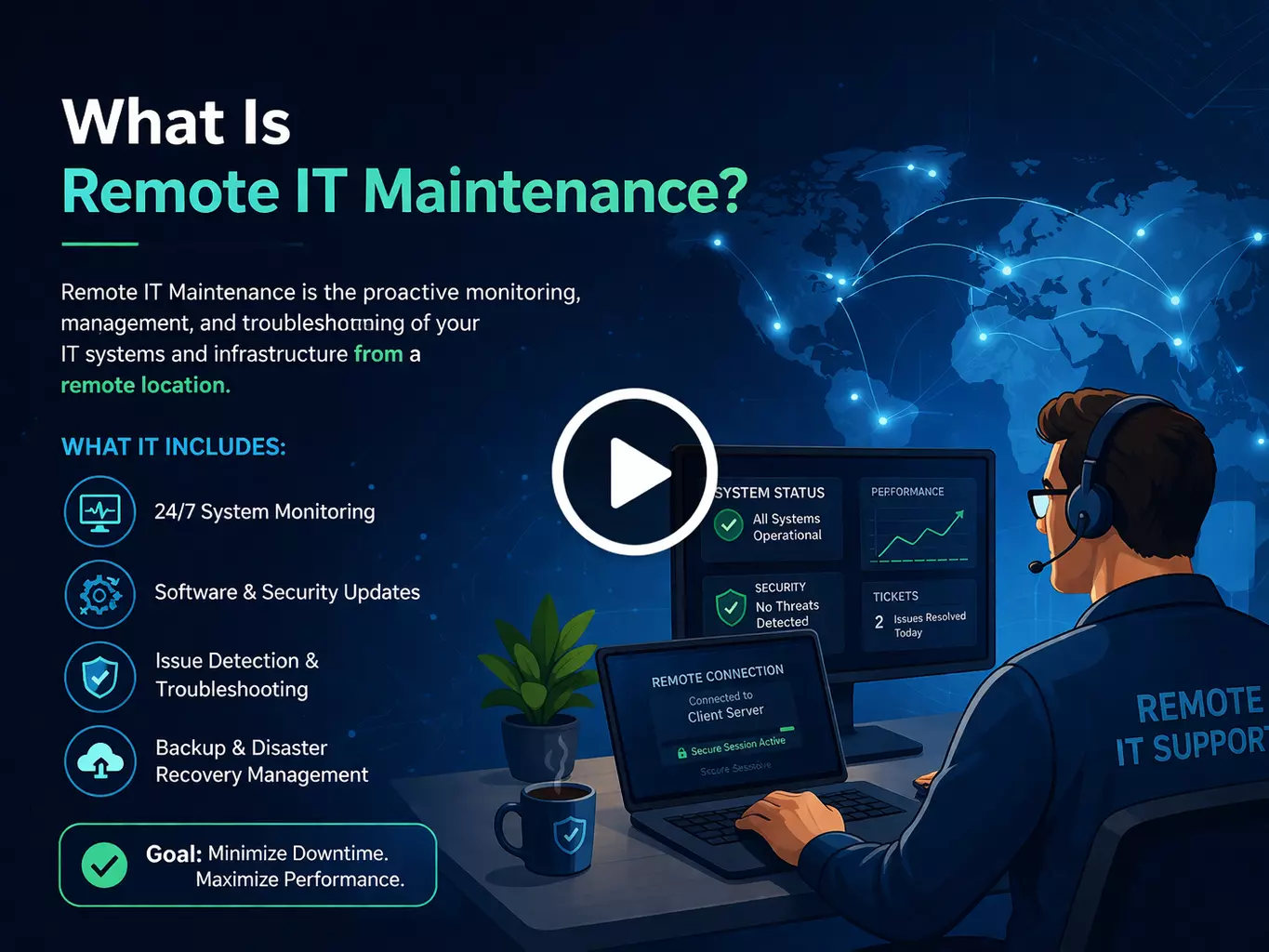
If you’ve ever seen an IT issue disappear before anyone even showed up, that’s remote maintenance doing its job. It’s not magic — it’s how modern IT teams quietly keep things running. They watch your network, push out updates, fix problems, and keep servers stable without touching a single machine. Your systems get the care they need, and your staff never lose a minute waiting around.
Not long ago, the process looked completely different. You’d open a ticket, wait for someone to call back, schedule a visit, and then sit while a technician plugged in their laptop and poked at cables. Most of those visits weren’t even necessary — the issue could’ve been solved remotely in twenty minutes.
Remote maintenance now covers more ground than most people realize: constant performance monitoring, scheduled patching, secure remote access, and predictive tools that catch hardware issues before they cause trouble.
Sure, a few things still need a person on-site — a failed drive, a new server install, a physical replacement. But those are rare. A good IT partner plans those ahead instead of sending someone racing out in the middle of the night.
Businesses still stuck on old-style, on-site maintenance aren’t getting better service. They’re just paying more and waiting longer for the same results.
The marketing around remote IT maintenance makes it sound like you install a tool, grab a coffee, and fix everything from your couch. I wish it were that simple. The truth is, real-world IT work is never that clean.
Last February, a blizzard shut down the city for three straight days. Our team had full remote access but zero physical access to the data center where several client systems live. One of the backup storage arrays lost a power supply, and there was no way to swap it from a laptop. We ended up on FaceTime with the building’s maintenance guy, walking him through the replacement step by step. He’d never touched a server before. Somehow, it worked — but it’s not something I’d like to repeat. Some jobs still need someone standing right there. That’s just how it is.
During a critical Exchange migration, my connection decided to drop every few minutes. I’d start explaining a step to our junior admin, freeze mid-sentence, and come back to find he’d done the exact opposite of what I said. We got it working around 2 AM, but I aged at least a year that night. Since then, we’ve built redundancy into every major maintenance window — backup links, alternate access paths, and documented fallback plans. We learned that lesson the hard way.
Security is the one thing that still keeps me awake at night. We had a close call last year when someone built a near-perfect copy of our VPN login page. The phishing email looked legitimate enough that two of our own techs entered their credentials before noticing the URL wasn’t right. We caught it in time — barely — but it was a thirty-second window between “almost fine” and “total breach.” That weekend was spent rebuilding our authentication system instead of enjoying the game I’d been waiting for all week.
Phishing attacks targeting remote management tools have jumped 83% between 2024 and 2026. Remote access credentials are now the number one prize for attackers. That’s not something you can afford to overlook.
The market is flooded with options, and every vendor claims theirs solves everything. After wasting real money on tools that looked great in demos and failed in production, here's what we've found actually holds up.
This has become our default for clients with under 50 endpoints. It's lightweight, which matters more than people realize when you're supporting older machines that choke on resource-heavy software. The AI diagnostics feature genuinely works — unlike some competitors that stick the word "AI" on basic monitoring and call it a day. The Slack integration is practical too; when a client's accounting team needs help, they can request support without leaving the platform they spend most of their day in.
For clients with complex infrastructure, TeamViewer's enterprise version has come through for us repeatedly. During an emergency database migration that was supposed to be a two-person job, we hit complications that required a specialist we didn't have on the call. The multi-user session feature let us bring someone in from across the country, and all three of us worked the problem simultaneously. Without that capability, we'd have been completely stuck at the worst possible moment.
We support clients with offices across multiple countries, and AnyDesk has been consistently reliable even over poor international connections. When a client's Singapore office had a critical issue at 3 AM our time, AnyDesk kept the session usable over what was genuinely a mediocre internet connection. The Jira integration is a small thing that matters a lot — tickets update automatically when sessions start and end, which means no more forgetting to log work at the end of an exhausting overnight session.
For comprehensive infrastructure management, this is the one we reach for. Last quarter, ConnectWise flagged a router at a manufacturing client showing early signs of failure — increasing packet loss that would have eventually caused a complete outage. We replaced it during off-hours before production ever felt it. The client never knew how close they came to a shutdown that would have cost roughly $27,000 per hour. That kind of catch is exactly what proactive monitoring is supposed to do.
After our phishing close call, we completely rebuilt how we approach security for remote IT management. The theoretical best practices weren't enough — we needed protection that actually holds up when people are tired, rushed, and working under pressure.
MFA became the hill we die on. Yes, clients pushed back about the extra step. We lost one small account that refused to implement it. But after rolling it out across our client base, unauthorized access attempts became immediately obvious and immediately unsuccessful. The minor friction it adds is nothing compared to what a single compromised credential can cost. Any remote IT provider not requiring MFA in 2026 is gambling with your infrastructure — and with yours, not theirs.
Zero trust changed our entire approach to remote infrastructure management. We stopped treating network access as an implicit stamp of approval. Now every access request gets verified regardless of where it originates. This approach caught unusual behavior from a developer's account that was accessing customer data they'd never touched before. Their credentials had been stolen through a separate personal account breach — they hadn't even realized it yet. Without zero trust, that access could have gone undetected for months.
Our monitoring system flagged unusual file access patterns from a legitimate account at 3:42 AM on a Sunday. After investigating, we found the account credentials had been compromised through a personal device the employee used. They didn't know yet. Automated continuous monitoring catches those patterns in the middle of the night on a weekend. Periodic manual reviews never would.
The businesses that survive remote access threats aren't the ones who bolted security on after the fact. They're the ones who built it into daily operations from the start. The ones doing it the other way are often already compromised — they just haven't found out yet.
After managing remote infrastructure across industries for years, the advantages over traditional on-site-only maintenance are consistent and measurable.
Our average resolution time dropped 65% after transitioning clients to remote maintenance — from four to six hours including travel, down to under ninety minutes for most issues. Remote access removes the single biggest delay in traditional IT support: getting a qualified person physically in front of the problem. When a server crashes at 2 AM, the response starts in minutes. Sharing diagnostic outputs in real time during a networking incident recently cut troubleshooting time by more than half compared to coordinating over the phone.
Proactive monitoring catches problems during the early warning stage — before users notice anything is wrong. The manufacturing client whose router we caught failing quietly? That alert prevented an outage worth $27,000 per hour to them. Predictive maintenance through continuous monitoring identifies hardware degradation and capacity limits weeks before they become emergencies. That's an entirely different relationship with IT problems than most businesses are used to.
Remote IT maintenance typically costs 30–50% less than equivalent on-site support while delivering faster response times and broader coverage. Travel costs disappear. Emergency callout premiums drop. One client cut IT-related expenses by 35% after moving from on-site-only support to managed remote services — while simultaneously improving uptime and their security posture.
Automated monitoring doesn't observe business hours. It watches every system continuously, flags anomalies at any hour, and escalates to real people when something needs a human response. Nobody has to physically staff a server room overnight to get around-the-clock coverage.
A manufacturing client expanded from three locations to seven without adding a single IT headcount. Remote maintenance solutions scaled to cover every new facility through the same centralized platform. Adding a location doesn't mean hiring a local technician — it means extending monitoring and management to one more node in a system already running.
Standard monitoring showed nothing wrong — normal utilization, no errors. But our AI caught subtle behavioral shifts in a storage subsystem that nobody would have noticed otherwise. Something was quietly going wrong beneath the surface.
We swapped the components out during a scheduled window. No crisis, no emergency callout, no frustrated client wondering why their system just went down.
That's the real value here. Most hardware gives warnings before it fails — small, easy-to-miss signs. AI reads those signs early enough that you can actually do something about it. One catch like that justifies the entire investment.
Remote infrastructure management falls apart without solid coordination — we learned that early.
Ticketing systems changed everything for us. Issues that used to disappear into email threads or get forgotten after a quick Slack message now have a full trail from first report to resolution. Nothing slips through.
Microsoft Teams handles real-time collaboration. When something breaks, the right people are sharing diagnostic outputs and configuration files within minutes rather than talking through it over a phone call.
Knowledge bases might be the most underrated piece. After 137 tickets in a single week about the same VPN issue, we wrote proper self-service guides. Requests dropped almost immediately — users fixed it themselves, and our team got back to work that actually needed them.
Pricing depends on the size and complexity of your environment.
Smaller businesses under 50 endpoints typically land between $500 and $3,000 monthly, covering monitoring, patching, security, and helpdesk support. Mid-size companies with 50 to 500 endpoints generally fall in the $3,000 to $15,000 range depending on locations, compliance needs, and cloud footprint. Enterprise environments are almost always custom — too many variables for a standard number to mean anything.
The comparison worth making isn't remote maintenance versus cutting costs. It's remote maintenance versus what unplanned downtime, emergency callouts, and preventable security incidents actually cost you. That math tends to settle the question pretty quickly.
Ask about AI-enhanced monitoring specifically — not whether it appears in their marketing, but what it actually does in production. Confirm they have real experience managing hybrid environments that mix on-premise, private cloud, and public cloud components. Check that their security approach includes zero trust architecture and automated threat response, not just a traditional perimeter defense that stopped being sufficient years ago.
Industry experience matters more than it sounds. Healthcare environments need HIPAA compliance built into daily operations, not treated as a setup checklist item. Financial services require ongoing SOC 2 and PCI-DSS maintenance. Manufacturing brings operational technology challenges that general IT providers miss entirely.
Ask directly what happens when remote access fails during a critical situation. Do they have on-site emergency dispatch? What's their documented response time for severity-one incidents? The providers worth hiring have clear, specific answers because they've actually been through those scenarios.
Get SLA commitments in writing — specific severity definitions, response time guarantees, and financial penalties if those targets get missed. Industry standard for critical issues is fifteen minutes to first response and four hours to resolution. For non-critical issues, one to four hours to respond with next-business-day resolution. Verify that after-hours support and emergency response are included in the pricing, not billed separately after the fact.
AD Infosystem is based in Los Angeles and has spent years building remote IT maintenance capabilities through real-world experience — including every painful lesson described in this blog. We've walked building maintenance staff through server repairs over FaceTime during blizzards. We've rebuilt authentication systems after phishing close calls. We've recovered from connectivity failures during critical migrations at 2 AM.
What that experience produced: AI-enhanced predictive monitoring that catches failures while traditional dashboards still show green. Zero trust security as standard practice — not an upsell. A multi-tool approach using Splashtop, TeamViewer, AnyDesk, and ConnectWise based on what each client's environment actually needs. Emergency on-site dispatch for the situations that genuinely require physical presence. And 24/7 monitoring with real human escalation when automated systems flag something worth a closer look.
Remote IT maintenance stopped being a convenience around 2023 and became the only sensible approach for most businesses. The old model — driving across town to physically touch a server — wastes hours that modern remote solutions eliminate in minutes. But getting remote infrastructure management right involves more than installing monitoring software and hoping for the best.
The real challenges are the ones vendor brochures skip over. Hardware failures that still require physical hands. Connection drops during critical work that turn straightforward procedures into nightmares. Phishing attacks sophisticated enough to fool experienced technicians. These problems don't disappear with remote tools — they demand different strategies, stronger security frameworks, and honest contingency planning.
Tool selection matters, but implementation and expertise matter more. The right combination depends on your specific environment, not what ranked highest in a comparison article. Security in remote maintenance requires zero trust architecture, mandatory multi-factor authentication, and continuous monitoring that catches compromised credentials on a Sunday night — not during next month's audit. Automation handles patching and predictive maintenance better than any manual schedule ever will.
AD Infosystem has spent years building remote IT management capabilities through the lessons described throughout this blog. The businesses that reach out before their next crisis always come out significantly ahead of those who call after one.